
Auckland Bus Driver’s Guide: Master the AT Mobile App in 3 Simple Steps
Every working day from behind the steering wheel of an Auckland city bus, I open the front doors and witness the same distress:
- An elderly passenger anxiously staring at a confusing paper timetable or waiting at the wrong stop in the rain.
- A passenger tapping an AT HOP card only to hear the harsh triple beep indicating an empty balance.
- Travelers nervously wondering if this bus heads toward their medical clinic or suburban mall.
You do not need to memorize complicated bus route maps or swipe aimlessly across a small smartphone screen. As a bus driver, I can assure you that learning just two or three practical features on Auckland Transport’s free AT Mobile app will transform your daily public transport routine into a relaxed, seamless journey.
3-Step Visual Infographic Guide
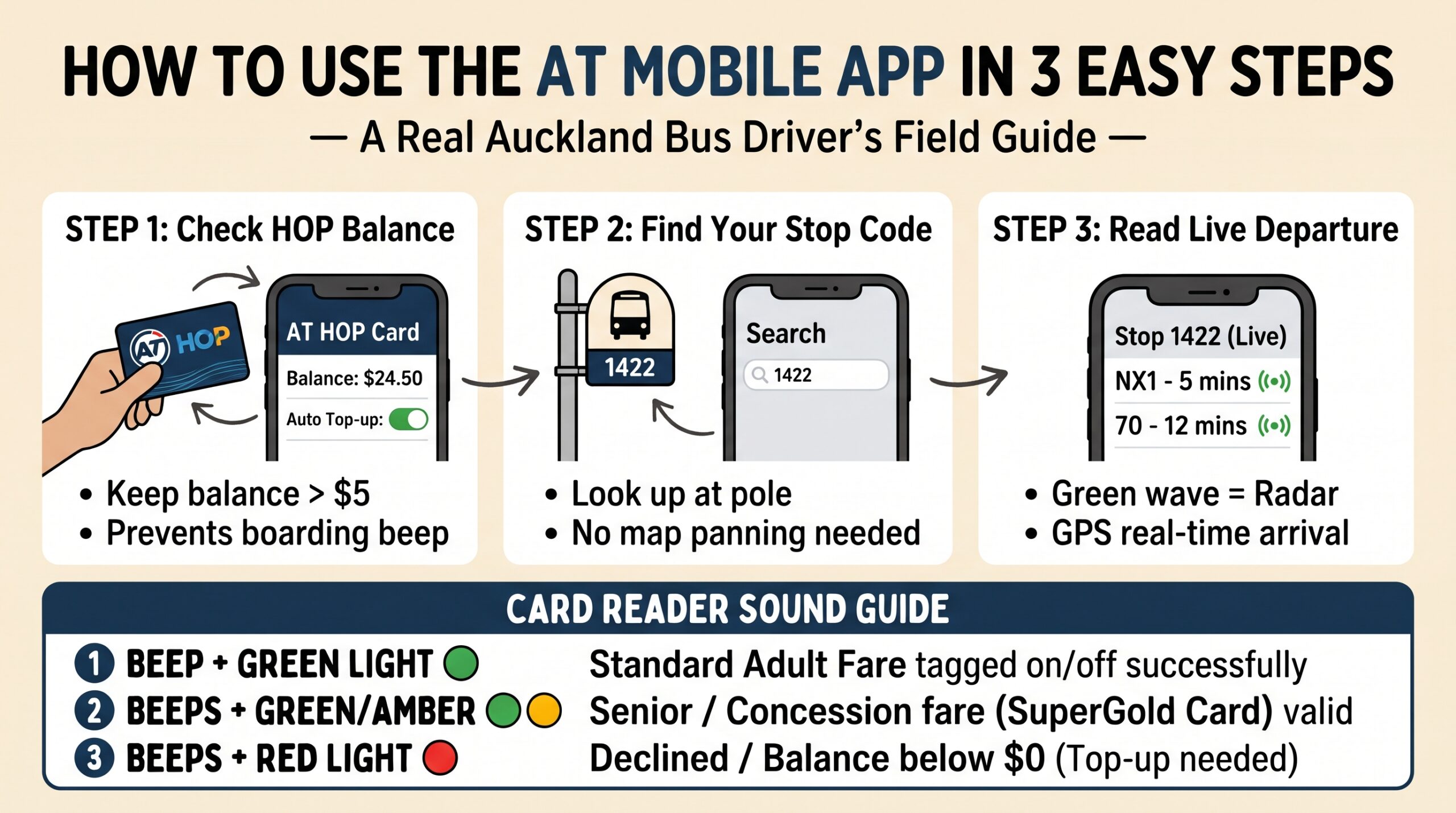
Step 1: Eliminate Boarding Stress — Monitor Your AT HOP Card Balance
Stepping onto a crowded bus only to have your card rejected is uncomfortable for both passenger and driver. Preparing before the bus arrives completely removes this anxiety.
| Feature | Where to Find It | Driver’s Practical Advice |
| Balance Check | Bottom menu → ‘Cards’ | Maintain at least $5.00 before leaving home to avoid default fare lockouts. |
| Auto Top-up | ‘Cards’ → Card Settings → Auto Top-up | Link a debit or credit card so your balance automatically recharges by $20 whenever it falls below $10. |
| Concessions & SuperGold | Account profile settings | Ensure your SuperGold concession is linked. Note: Contactless bank cards charge adult fares; only registered HOP cards grant senior discounts and free off-peak travel. |
Driver’s Note on Contactless Pay: While Auckland buses accept contactless debit/credit cards and smartphone wallets (Apple Pay, Google Pay), SuperGold travel benefits and student discounts only work via a registered AT HOP card. If you qualify for a concession, keep your physical HOP card registered in the app.
Step 2: Skip the Map Dragging — Use the 4-Digit “Bus Stop Number”
Many passengers struggle because they open the map screen and try to pinch and zoom while walking. There is a far easier method:
- Locate the Bus Stop Sign: Every Auckland Transport bus shelter or pole has a unique 4- or 5-digit number printed near the top or side (e.g., 1422, 7035).
- Type the Number in the Search Bar: Open the AT Mobile app and simply type those digits into the main top search bar.
- Read Live Departures:
- Look for the green radio wave icon next to the minutes (e.g., NX1 – 5 mins).
- Unlike a printed schedule, this time reflects real-time traffic updates. If it says 5 minutes, the bus will arrive in 5 minutes.
- Tap on your route to view the live GPS bus icon traveling down the street toward you.
Step 3: Getting Somewhere New — The Simple Journey Planner
When heading to a clinic, hospital, or shopping center you haven’t visited before:
- Tap ‘Plan’ at the bottom navigation bar.
- Leave ‘From’ set to ‘Current Location’.
- In the ‘To’ field, type your plain English destination (e.g., Auckland City Hospital, Sylvia Park, or Takapuna Library).
- The app displays:
- Which route number to board.
- The exact walking distance to the nearest boarding stop.
- Total travel time and scheduled transfer points if applicable.
3 Critical Bus Etiquette & Safety Tips from Behind the Wheel
- Signal Clearly with Your ArmAt stops served by multiple routes, drivers cannot tell whether you are waiting for their bus or another line behind them. Extend your arm clearly toward the road as the bus approaches so the driver has plenty of room for smooth braking.
- Hold the Card Steady for One Full SecondAvoid waving or tapping the card too quickly against the card reader. Hold it flat against the glass until you see the green light and hear the chime. Remove the card from your wallet or phone sleeve to prevent card clash with bank cards.
- Stay Seated Until the Bus StopsModern buses accelerate and brake with substantial momentum. Once you press the red STOP button, remain safely in your seat with a firm handrail grip. There is no rush—drivers will always wait for you to stand up and exit once the vehicle has come to a complete halt.